What Worries the Printer Most While Implementing Web to Print Solutions? Technology or Investment?
Adaptability of web to print solutions (W2P) for setting up online printing shops is still low even after many years of its introduction.

From Intuitive Dynamic Calculators to Simple Online Calculators - Choice is yours!
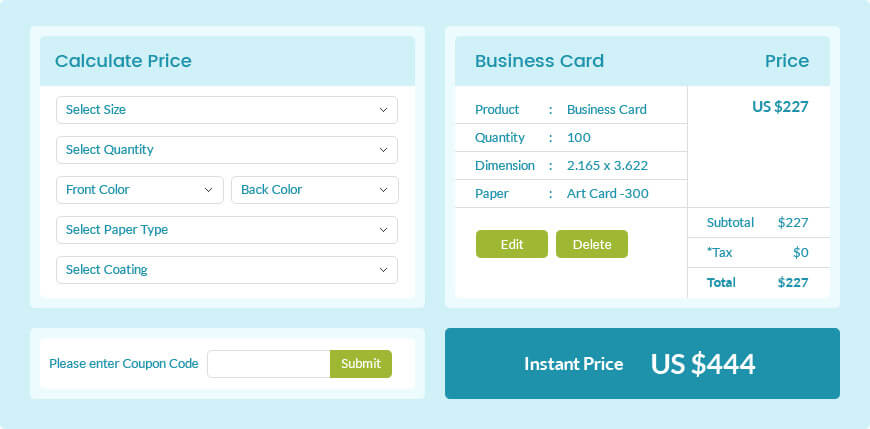
Simple Online Calculator
A Simple Online Calculator is a quick and standard calculator that works flawlessly for applications involving few standard items that have fixed rates for fixed quantity. If the rates of any of the inputs like paper, ink or other factors change, you just need to re-enter the corresponding prices for your products.
This option works well for Digital Printing, where jobs are smaller and prices are fixed. It also works well for scenarios where you do not want to offer too many products options.
Intuitive Dynamic Calculator
If the only thing constant about your business is change, a Dynamic Calculator is what your business needs. This web-based automated Quote Module can handle any kind of products.
The final cost is dynamically arrived at after considering various factors such as Paper Size, Paper Weight, Plate, Finishing, Machine Size and even Courier Rates!
If the price of any of the inputs change, you need not recalculate / modify your complete price list, just edit / modify rates of that particular item / material and the system will automatically modify the output, ensuring that the customer always gets an instant ONLINE QUOTE!
That's not all!
When you introduce a new printing product, you only need to select the relevant input requirements (just feed the information about various permutations and combinations that this product layout/ paper can have) and system will automatically generate a price list for different quantities.
Knowledge Base

What Worries the Printer Most While Implementing Web to Print Solutions? Technology or Investment?
Adaptability of web to print solutions (W2P) for setting up online printing shops is still low even after many years of its introduction.

Print Marketplace: Are We Trying To Encourage Print Or Kill Margins That We Earn On Printing?
The term marketplace is commonly used for a web-based module where any vendor can register and start offering their products.

Web to Print – The Unbelievably Amazing Results it Can Produce!
During one of the consultation sessions with a giant printing house providing multiple printing solutions in India, the owner gave me some valuable insights.